
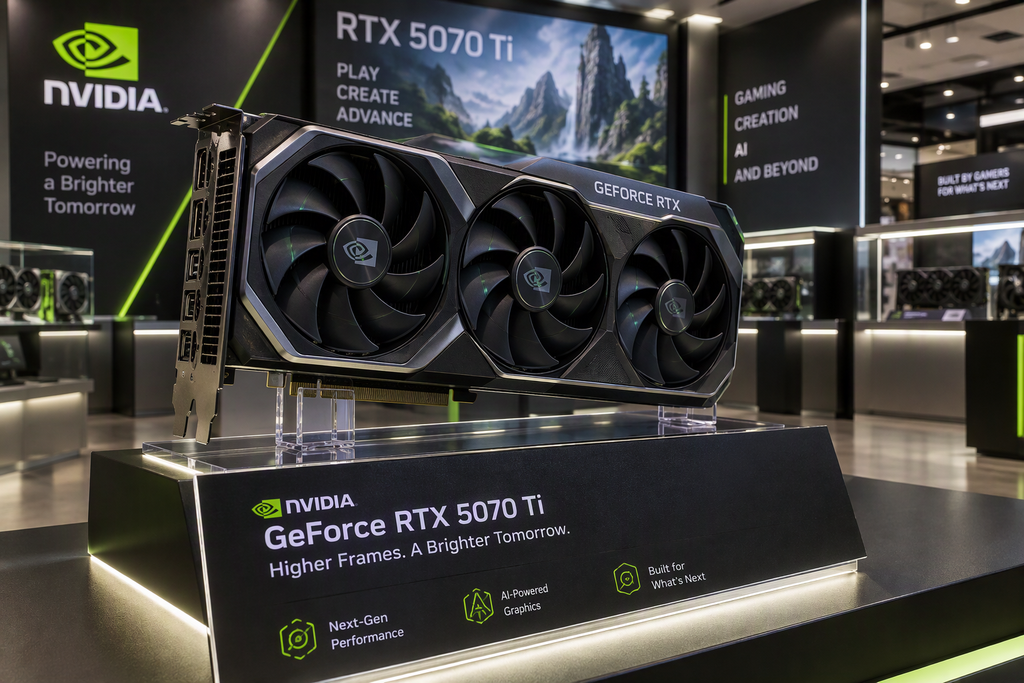
The NVIDIA GeForce RTX 5070 Ti is a powerful card. It handles 4K gaming, AI workloads, and heavy rendering with ease, if your card is failing and you need RTX 5070 Ti repair Houston can rely on, start here. But a powerful card is also a hot, power-hungry one, and when something goes wrong, it can go wrong in ways that are confusing and expensive.
If you are searching for RTX 5070 Ti repair in Houston, this guide walks through the most common problems we see, what you can safely check yourself, and when it is time to hand the card to a professional.
Common RTX 5070 Ti Problems
1. Black Screen or No Display
You press the power button, the fans spin, and the monitor stays dark. This is one of the most frequent complaints with any high-end GPU.
Possible causes:
- Loose or incorrectly seated power connector
- Damaged display output port
- Faulty cable or monitor input
- Failing VRM (voltage regulation) components on the card
- Corrupted driver after an update
2. Artifacts, Flickering, and Visual Glitches
Colored dots, stretched textures, flashing lines, or checkerboard patterns usually point to a hardware issue, most often with the GPU core or video memory (VRAM).
Possible causes:
- Overheating from dried thermal paste or worn thermal pads
- Failing VRAM modules
- Unstable overclock or undervolt
- Cracked solder joints from repeated heat cycles
3. Random Crashes and Driver Timeouts
Games close to desktop, the screen goes black for a moment and returns, or Windows reports that the display driver stopped responding.
Possible causes:
- Insufficient or unstable power supply
- Heat throttling and thermal shutdown
- Driver conflicts or a bad installation
- Early-stage hardware failure
4. Overheating and Loud Fans
If your card hits very high temperatures or the fans ramp up to full speed during light use, cooling is compromised.
Possible causes:
- Dust buildup in the heatsink and fans
- Dried-out thermal paste
- Degraded thermal pads on memory and power components
- Poor case airflow
- A failing fan bearing
5. Power Connector Problems
High-wattage cards depend on a secure, fully seated power connection. A connector that is not fully inserted, a damaged cable, or heavy bending close to the plug can cause heat, instability, and in the worst cases melted or burned connectors.
Warning signs:
- A burning smell near the card or PSU
- Discolored or warped plastic around the connector
- The system shutting off under load
If you see or smell any of these, power the system down and unplug it immediately.
6. Coil Whine
A high-pitched buzzing under load is common and usually harmless. It is annoying, but it does not always mean the card is failing. If the noise is new, getting worse, or comes with crashes, have it checked.
7. PCIe Slot and Detection Issues
Sometimes the card does not show up in Windows or Device Manager at all, or it runs at reduced speed.
Possible causes:
- Card not fully seated in the slot
- Dust or debris in the PCIe slot
- Motherboard BIOS needing an update
- Damaged PCIe contacts or a failing slot
What You Can Safely Try at Home
Before paying for a repair, work through these basic steps:
- Reseat the card and power connector. Power off, unplug the PC, and make sure the card is firmly in the slot and the power cable is fully clicked in.
- Try a different cable and port. Test with another DisplayPort or HDMI cable and a different monitor input.
- Do a clean driver install. Download the latest driver from NVIDIA’s driver page and perform a clean installation.
- Check temperatures. Use a monitoring tool to watch GPU temperature and clock speeds under load.
- Remove any overclock. Reset the card to stock settings to rule out an unstable tune.
- Clean the dust. Use compressed air on the fans and heatsink with the PC powered off. Hold the fans still while you do it so they do not overspin.
- Test in another system. If you can, try the card in a different PC, or try a different GPU in yours. This tells you quickly whether the card or something else is the problem.
- Verify your power supply. Make sure your PSU has enough wattage and the correct connectors for this card.
When You Need Professional 5070 Ti Repair in Houston
Some problems cannot be solved with a cable swap or a driver reinstall. It is time to bring the card to a professional if you notice:
- Persistent artifacts that remain after a clean driver install
- No display output even after testing cables, monitors, and another PC
- Burn marks, melted plastic, or a burning smell
- Liquid damage
- Physical damage to the PCB, ports, or the PCIe connector
- Temperatures that stay high even after cleaning
- Repeated crashes with no software cause
A qualified technician can diagnose the board properly and fix issues that a home user cannot, including:
- Thermal service: Replacing thermal paste and thermal pads to bring temperatures back down
- Fan replacement: Swapping out failing or noisy fans
- Power circuit repair: Diagnosing and repairing failed VRM and power delivery components
- Port and connector repair: Replacing damaged HDMI, DisplayPort, or PCIe contacts
- Component-level board repair: Addressing damaged traces, shorted components, and failed parts
- Full diagnostics: Stress testing and verification before the card goes back to you
5070 Ti Repair vs. Replace in Houston: Which Makes Sense?
With a premium card, repair is often worth considering, especially when:
- Replacement cards are hard to find or priced above MSRP
- The failure is a small, repairable component like a fan, thermal pads, or a connector
- You want to keep a card tuned and matched to your build
Replacement may make more sense when the GPU core itself has failed or repair costs approach the price of a new card. A good repair shop will tell you honestly which path is better before you spend anything. Also check your warranty first: if your card is still covered by the manufacturer, a warranty claim may be your best first step, and opening the card yourself can void it.
Why Houston Gamers Choose Local 5070 Ti Repair
Houston’s heat and humidity are hard on electronics. Long summers push case temperatures up, dust builds quickly, and power fluctuations during storm season can stress components. Local repair means:
- No shipping risk for a fragile, expensive card
- Faster turnaround than mail-in service
- A real person you can talk to about your problem
- Easy drop-off and pickup
Get 5070 Ti Repair in Houston
At Primary Computer Service, we diagnose and repair graphics cards for gamers, creators, and businesses across the Houston area. Whether your RTX 5070 Ti is crashing, overheating, or showing no signal, we will find out what is wrong and give you a clear answer on your options.
Call us at 713-827-1300 or contact us online to get started. You can also learn more about our computer repair services in Houston.
Frequently Asked Questions
How do I know if my RTX 5070 Ti is failing?
Common signs include visual artifacts, random crashes, black screens, overheating, and the card not being detected. If the problem follows the card into another PC, the card is the likely culprit.
Can an RTX 5070 Ti be repaired, or do I have to replace it?
Many problems are repairable, including cooling issues, fans, power delivery faults, and damaged ports. Whether repair makes sense depends on the specific failure and the cost compared to replacement.
How much does 5070 Ti repair cost in Houston?
It depends on the problem. A thermal service costs much less than a component-level board repair. A proper diagnosis gives you a firm answer before any work begins.
Will 5070 Ti repair in Houston void my warranty?
Opening the card or modifying it can void the manufacturer’s warranty. If your card is still covered, contact the manufacturer first.
Why is my RTX 5070 Ti so hot?
Dust, dried thermal paste, worn thermal pads, poor case airflow, and failing fans are the usual causes. A cleaning and thermal service often fixes it.
Having a different graphics card problem? See our Graphics Card Repair Houston page, or call 713-827-1300.
Leave a Reply